USB Driver Installation Guide_Rev1.0
1 Revision History
Version |
Date |
Author |
Reviewer |
Revision Content |
|---|---|---|---|---|
1.0 |
2026-04-17 |
sxx |
zlc |
Document created |
2 Introduction
This document is intended to help users of Lierda LTE-EC71x series modules quickly complete USB driver installation and become familiar with all functions supported by the USB port of LTE-EC71x series modules.
3 USB Driver Installation Steps
3.1 Enumerated Ports on Windows
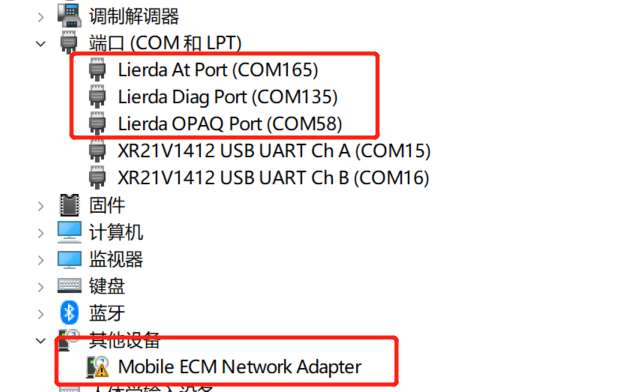
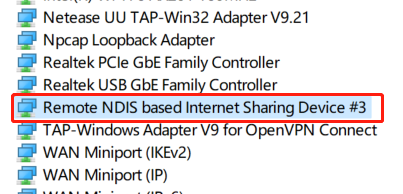
As shown above, the USB driver loads four functional ports: AT, Diag, OPAQ, and ECM (or RNDIS).
Lierda At Port: Used for sending AT commands and communicating with the module (MI_03)
Lierda Diag Port: Used with the EPAT tool to capture module runtime logs (MI_02)
Lierda OPAQ Port: A general serial port enumerated by the module, used for serial data transmission and reception (MI_04)
Mobile ECM Network Adapter: ECM network adapter for ECM internet access. On Windows, internet access is not supported without the driver (MI_00)
Remote NDIS Based Internet Sharing Device: RNDIS network adapter for RNDIS internet access. The driver is built into Windows and does not require manual installation (MI_00)
Note: Only one of RNDIS or ECM can be active for internet access at a time. MI numbers are fixed and correspond to the bInterfaceProtocol field.
3.2 Double-click to Run LierdaCommonUSBSetup_V3.4.6.exe Installer (Run as Administrator)

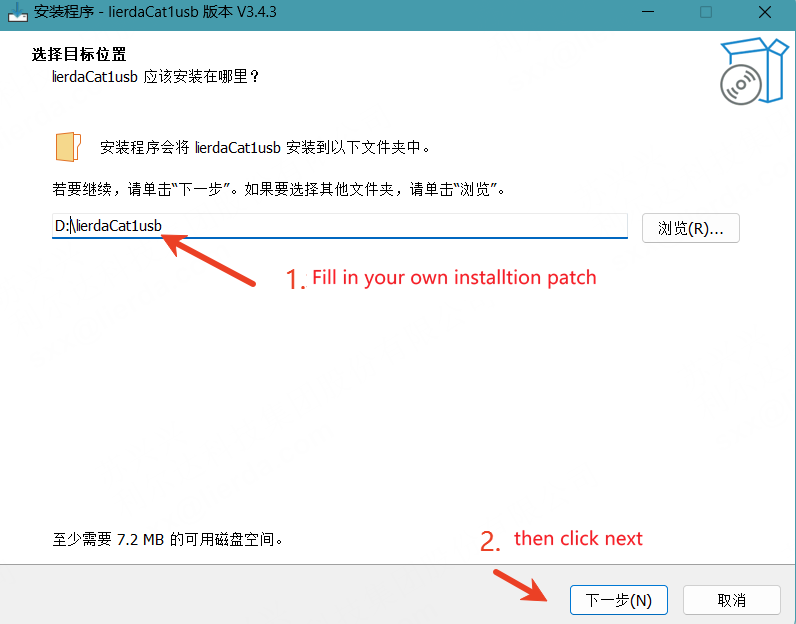
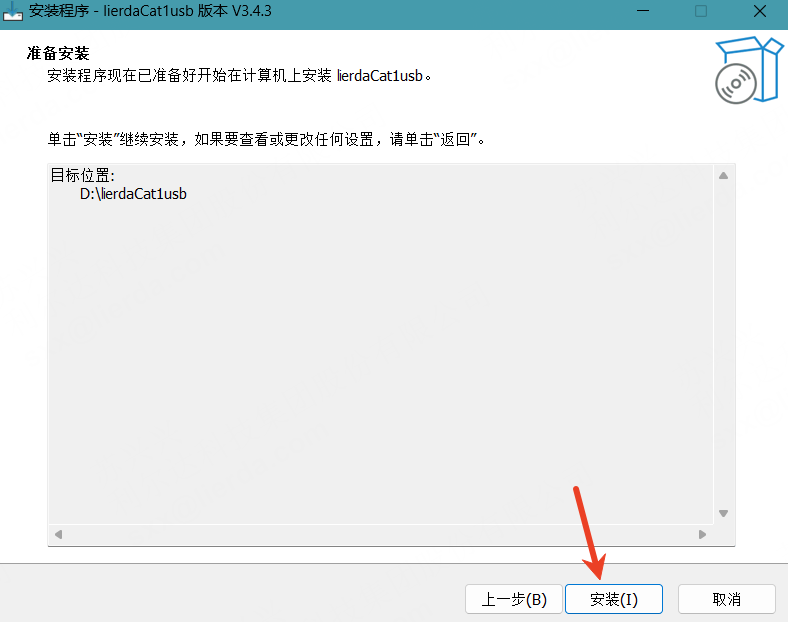
3.3 Click Install to Proceed
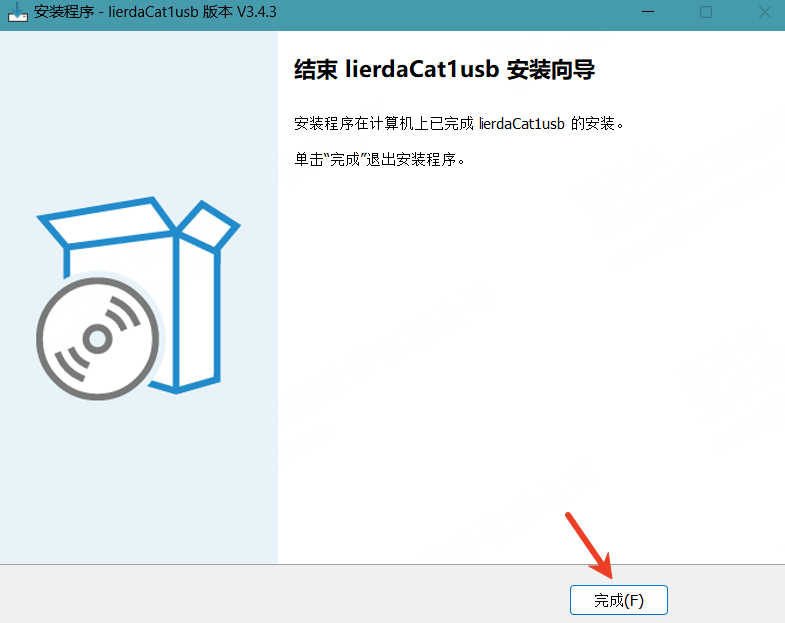
3.4 Installation Complete
4 Driver Installation on Linux
The LTE-EC71X series modules use the usb_serial.ko driver on Linux. The CONFIG_USB_SERIAL kernel configuration option must be enabled.
Required kernel options:
USB_SERIAL=y
USB_SERIAL_WWAN=y
USB_SERIAL_OPTION=y
4.1 Modifying the option.c File
Adding PID and VID to the Table
Method 1: The USB serial driver matches inserted USB devices through the option_ids[] array. The VID and PID for LTE-EC71X series modules are 3505/0003. Add them to the table as shown:
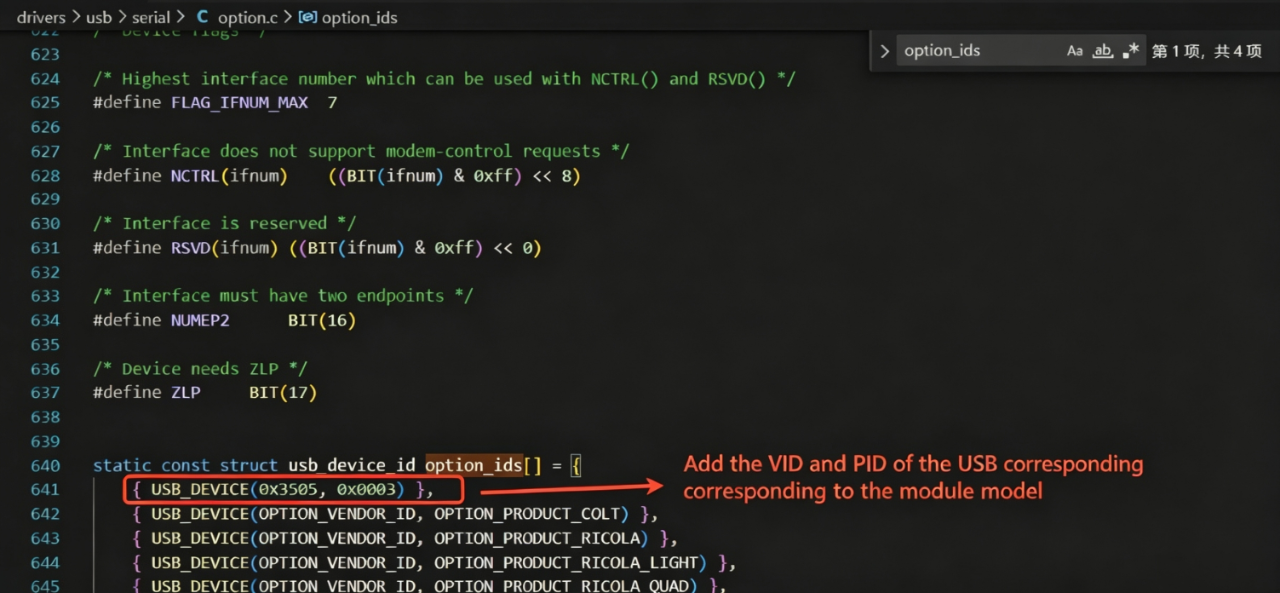
Method 2: Alternatively, you can add the PID and VID via command line:
Linux#> sudo /sbin/modprobe option
Linux#> sudo chmod 666 /sys/bus/usb-serial/drivers/option1/new_id
Linux#> echo 3505 0003 > /sys/bus/usb-serial/drivers/option1/new_id
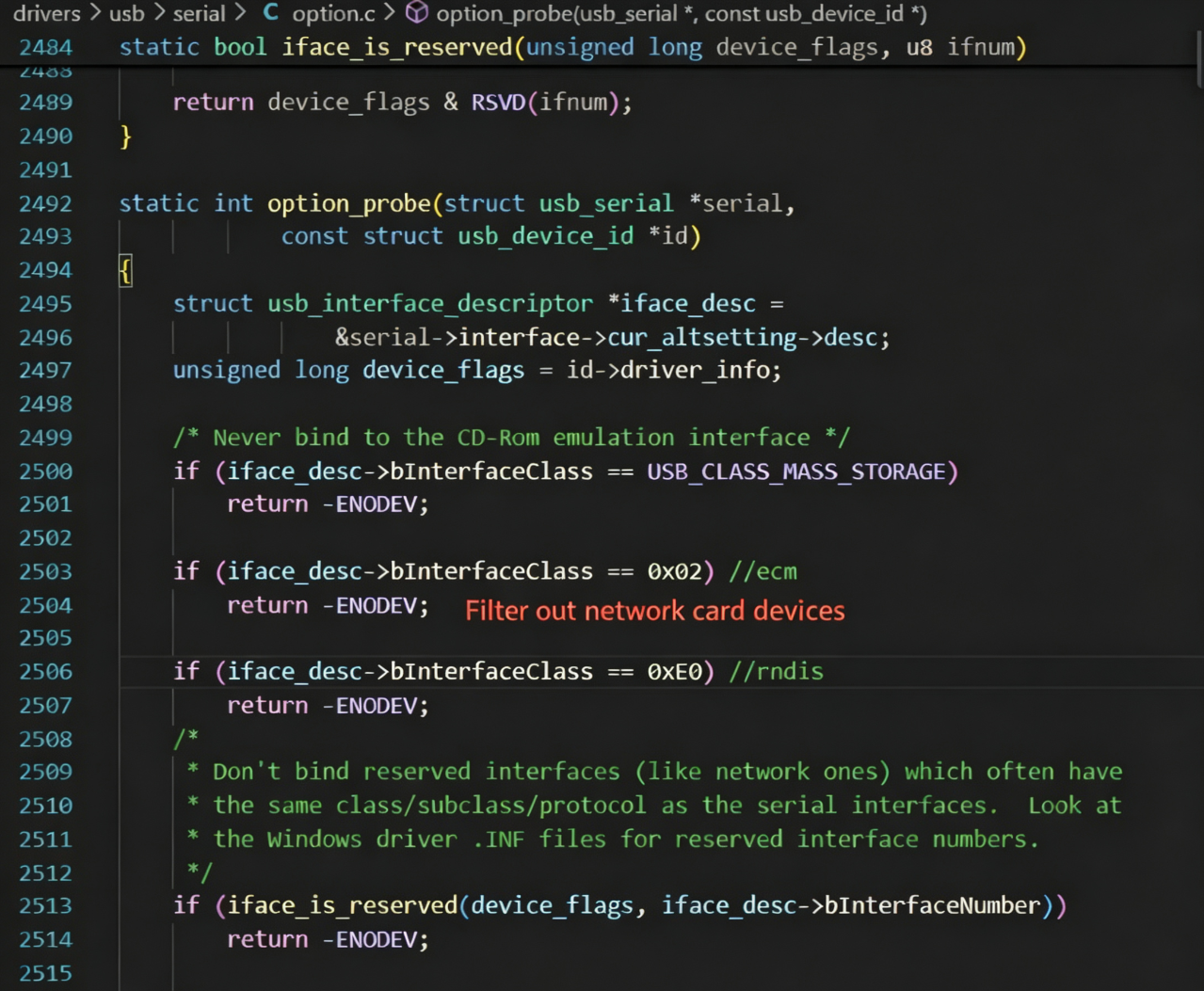
Filtering Network Adapter Type Driver Enumeration
Add code to filter network adapter enumeration devices in the option_probe function of drivers/usb/serial/option.c:
4.2 Enumerated Ports on Linux
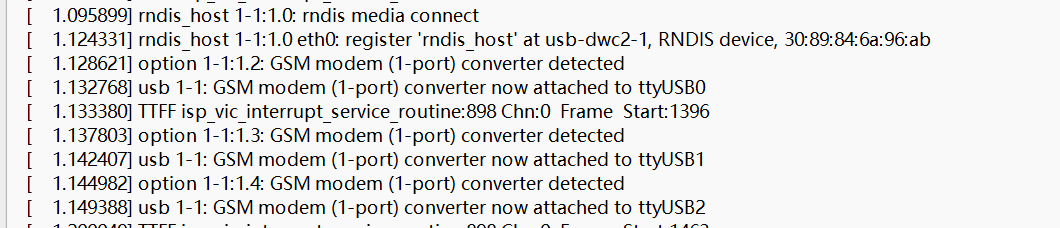
ttyUSB0: Corresponds to Lierda Diag Port on Windows, the log port.
ttyUSB1: Corresponds to Lierda At Port on Windows, for sending AT commands.
ttyUSB2: Under OpenSDK, corresponds to Lierda OPAQ Port on Windows. Under standard firmware, corresponds to Lierda USB Modem on Windows (PPP dial-up interface).
ECM and RNDIS are directly loaded to eth0.
Note: Only one of RNDIS or ECM can be active for internet access at a time. MI numbers are fixed and correspond to the bInterfaceProtocol field.
You can use the command: sudo dmesg | grep -i usb to check.
5 FAQ
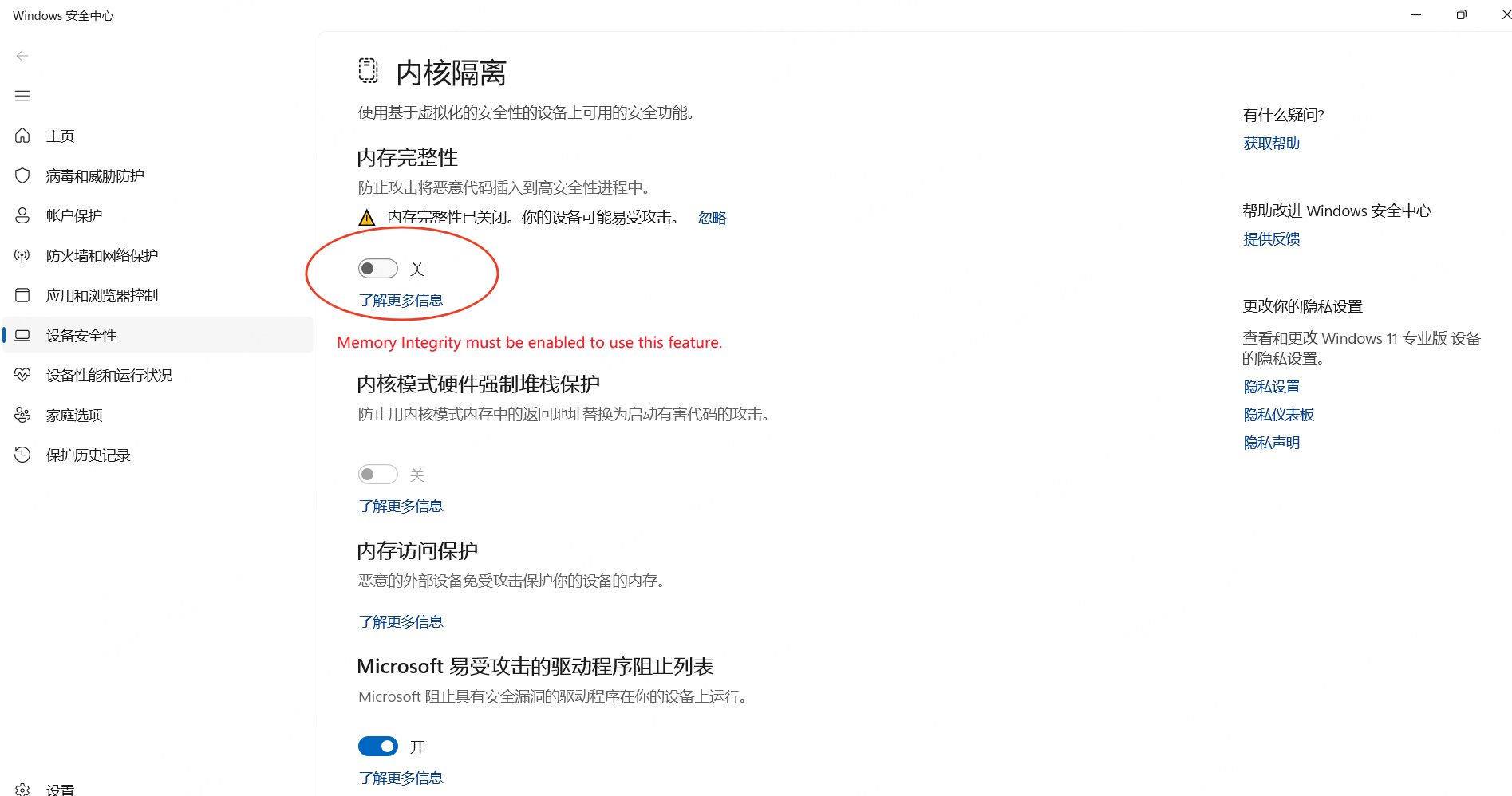
5.1 If Driver Installation Fails on Windows, Disable Memory Integrity
Press Windows + R to open the “Run” dialog, execute
windowsdefender:(with the colon) to open “Windows Security Center”.Navigate to “Device Security” > “Core Isolation Details”.
Based on your actual usage scenario, toggle the “Memory Integrity” switch on or off.
Restart the computer for the configuration to take effect.