Development Notes and FAQ_Rev1.0
Document Revision History
Version |
Date |
Author |
Reviewer |
Changes |
|---|---|---|---|---|
Rev1.0 |
2026-09-21 |
zlc |
Updated document |
1 Introduction
This document introduces important notes and common issues encountered during Open development and use of Lierda Eigencomm-platform Cat.1 modules. You can use this document as a reference handbook. During real customer project development, when a problem is encountered, refer to this document first to check whether the same or a similar solution exists, so you can solve problems quickly and improve development speed and troubleshooting efficiency. This is the initial version and will be continuously improved.
2 General Basics
2.1 Does OpenCPU require a specific factory firmware?
No. Any factory firmware works. Flashing the user program will not erase calibration data or other information (stored in independent partitions).
2.2 Are different module series compatible with each other under OpenCPU?
No. The internal pin connections differ between modules and series. The module model used during development must be exactly the same as the one used in mass production.
2.3 Does OpenCPU support AT commands?
Only a limited set of basic commands is supported, as follows:
+CGMR         Request manufacturer revision identification
+ECRST        System reboot
+ECFSINFO     Get file system information
+CGSN         Request product serial number
+ECPMUCFG     Set PMU sleep level
+ECIPR        Set AT serial port baud rate (not saved after power-off)
+ECTASKINFO   Display task information
+ECPCFG       Set platform configuration
+ECNETCFG     Configure network interface parameters
+ECNETDEVCTL  Set network interface data path
+CREG         Network registration
+CEREG        EPS network registration status
+CGPADDR      Show PDP address
+ECCFG        Get and set UE extended configuration
+CSQ          Get signal quality
+CPIN         Enter PIN
+ECFREQ       Set preferred frequency / lock frequency or cell
+ECBAND       Set band information
+ECICCID      Return SIM card ICCID
+COPS         PLMN selection
+CFUN         Set phone functionality level
+CIMI         Request IMSI
+ECSIMCFG     SIM configuration (sleep/detection)
+ECSTATUS     Return UE key parameter status
2.4 Related Configuration Modifications
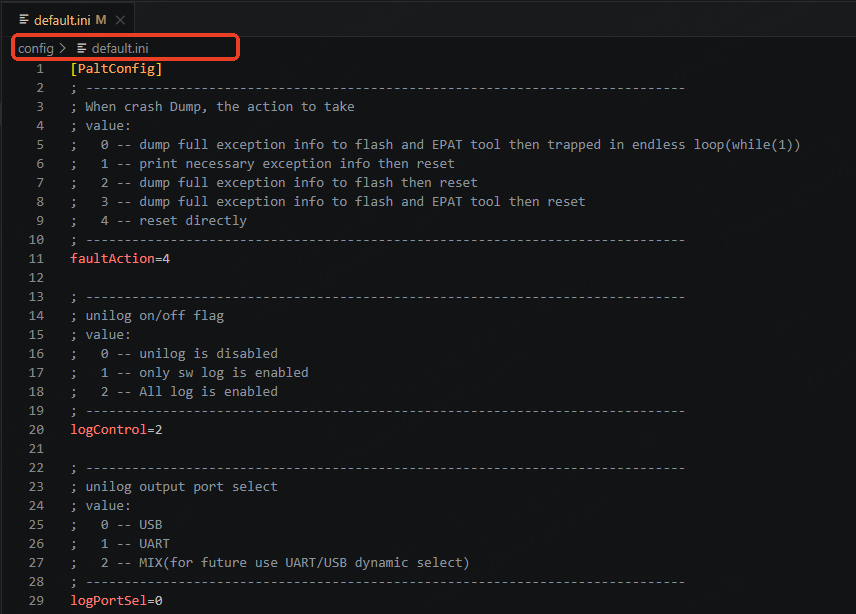
config/default.ini contains some configuration parameters that you can modify. Note that you must perform an erase-configuration flash when flashing; otherwise the configuration changes will not take effect.
faultAction: Reset after a dump occurs, or save the dump. Generally used for capturing software dumps. Must be set to 4 for mass-production software.
logPortSel: Which port the module’s low-level log is output from. Defaults to the USB log port.
usbVBUSModeEn / usbVBUSWkupPad: Used to enable the VBUS function. Configure the corresponding wakeup source according to the schematic.
cfun: Default cfun function at power-on.
AutoApn: Whether to enable the auto APN function. Recommended to enable this for modules shipped overseas.
dataCont: Whether to enable data flow control.
uart1At: Whether UART1 is initialized as an AT port.
appLogPort: Application log output port. Defaults to the USB AT port.
2.5 What does AON mean?
Always-On Domain Pin. Ordinary IO pins lose power during sleep and cannot maintain their level output. The interfaces corresponding to AON can still maintain their level output or keep their function valid after the module enters sleep.
2.6 What do NI&NP mean in the pin multiplexing table?
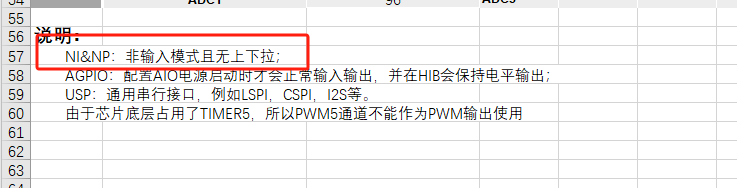
If not configured by default after power-on, they are floating. Use software configuration to initialize these functions.
2.7 Continuous 30mA high current caused by failure to camp on the network
Testing shows that the standard firmware enables the forced network camping function (AT+ECCFG="EmergencyCamp",1), so it keeps searching for the network. After disabling this function (AT+ECCFG="EmergencyCamp",0), testing shows it enters an intermittent network-search state (it stops after about ten minutes and then searches again).
However, for OPEN applications, the usual approach to control power consumption is still to disable CFUN and enter sleep.
2.8 How to modify partitions
In the current SDK version, the app partition and FS partition are dynamically adjustable. Taking the F6D_A base package as an example, the file is located at components/basePkg/F6D_A/partition_info.txt.
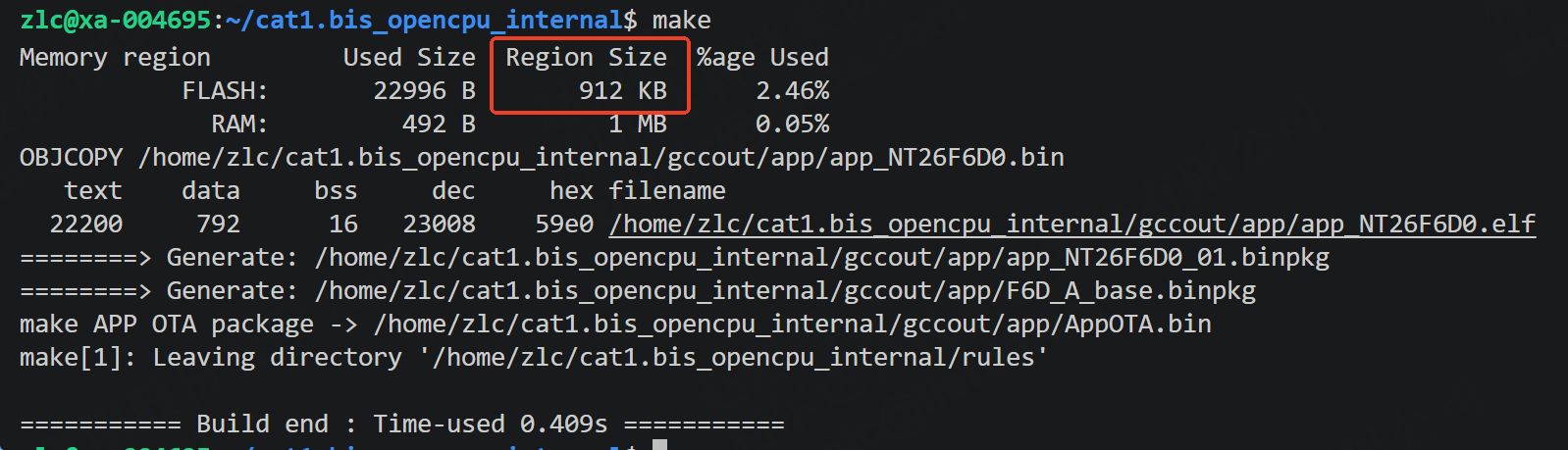
Default APP partition size: 0x0CB000, FS partition size: 0x01D000. The build output is as follows:
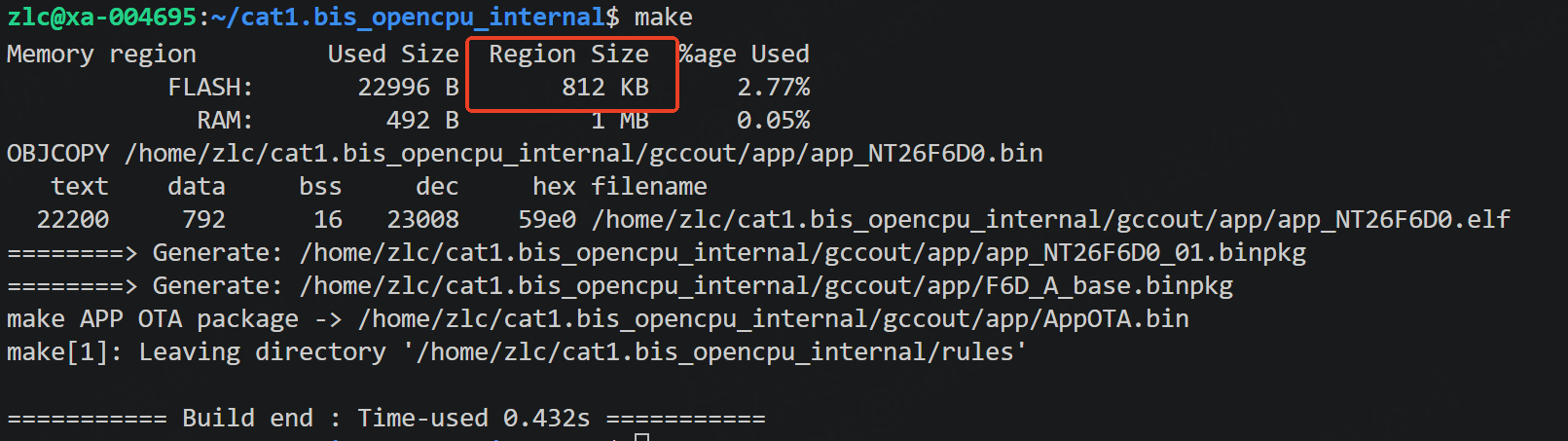
Increase the APP partition by 100K. Modify the configuration file as follows:
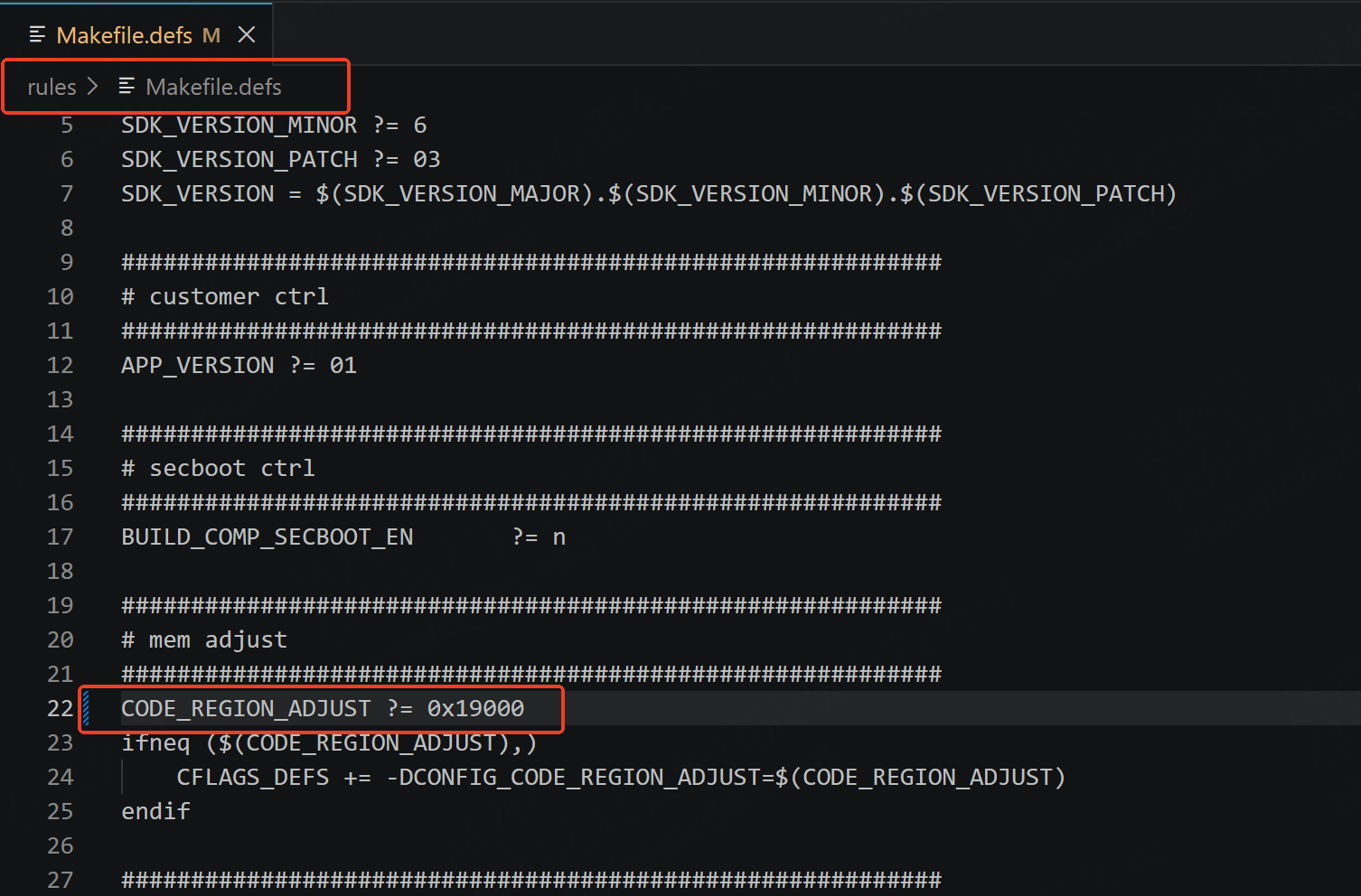
After the modification, clean and rebuild. The build output is as follows:
Warning
Notes:
After a version enters mass production, modifying partitions will cause differential or full upgrades to fail. Therefore, confirm the partitions before mass production; they cannot be modified afterwards.
Modifications must be 4k-aligned.
The current full-upgrade scheme saves the APP image package to the file system for full upgrade. If the APP partition is too large for the FS to store the APP image, the full-upgrade function will fail.